Construction project operations
Every project, from the first estimate to the final draw.
Constructura turns your estimate into a working project record and runs the schedule, budget, subcontractors, and draws from there.
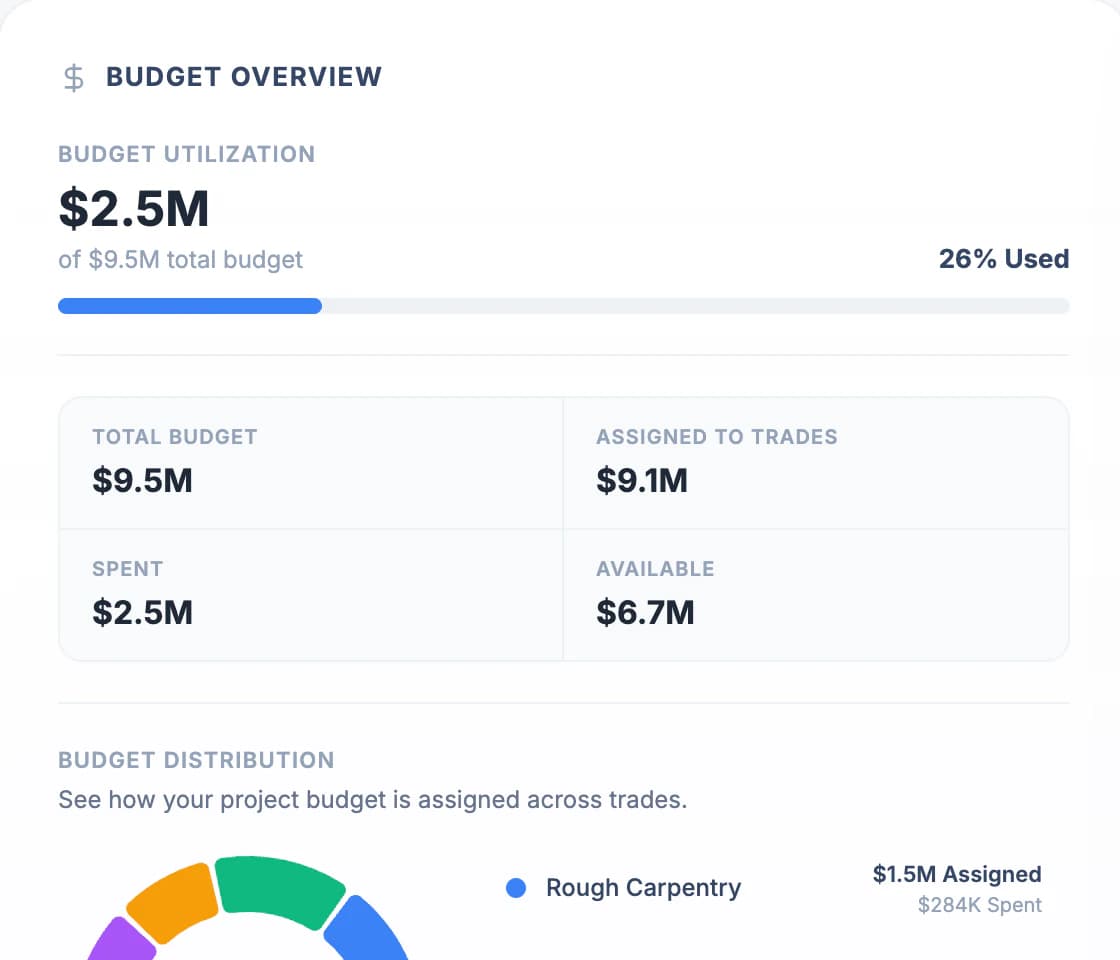
Fig. 00 · Project overviewFictional demo project · real product screen
What changes
- Estimate PDFbecomes Budget by trade
- Spreadsheet schedulebecomes Phased schedule and tasks
- Subcontractor paperwork in emailbecomes Subcontractor portal
- Manual draw reviewbecomes Draw review inside the project record
From estimate to draw
One record, in the order the job runs.
Five steps, each building on the last. The screens below are the product itself, shown with a fictional demo project.
01 →Documents
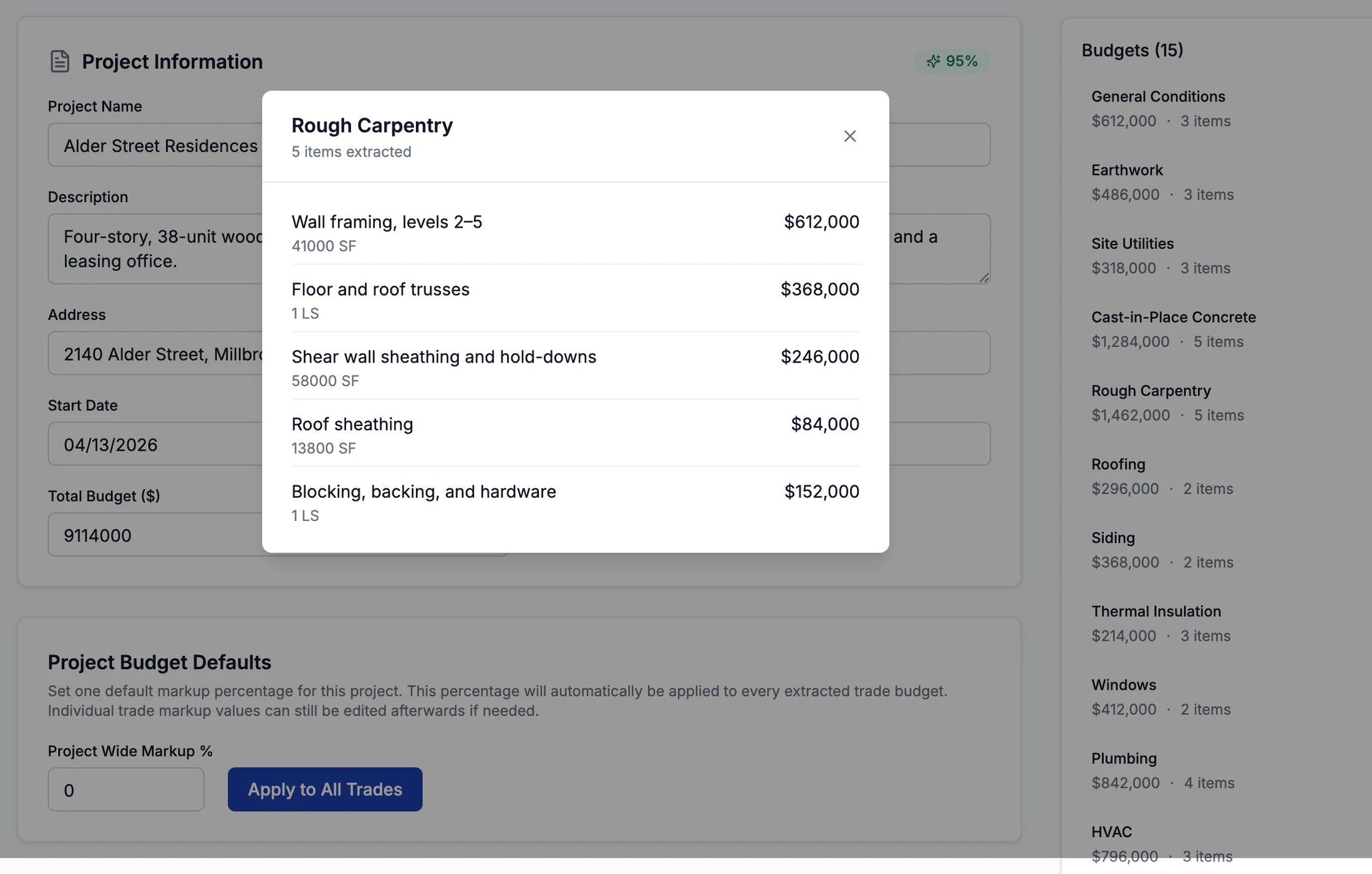
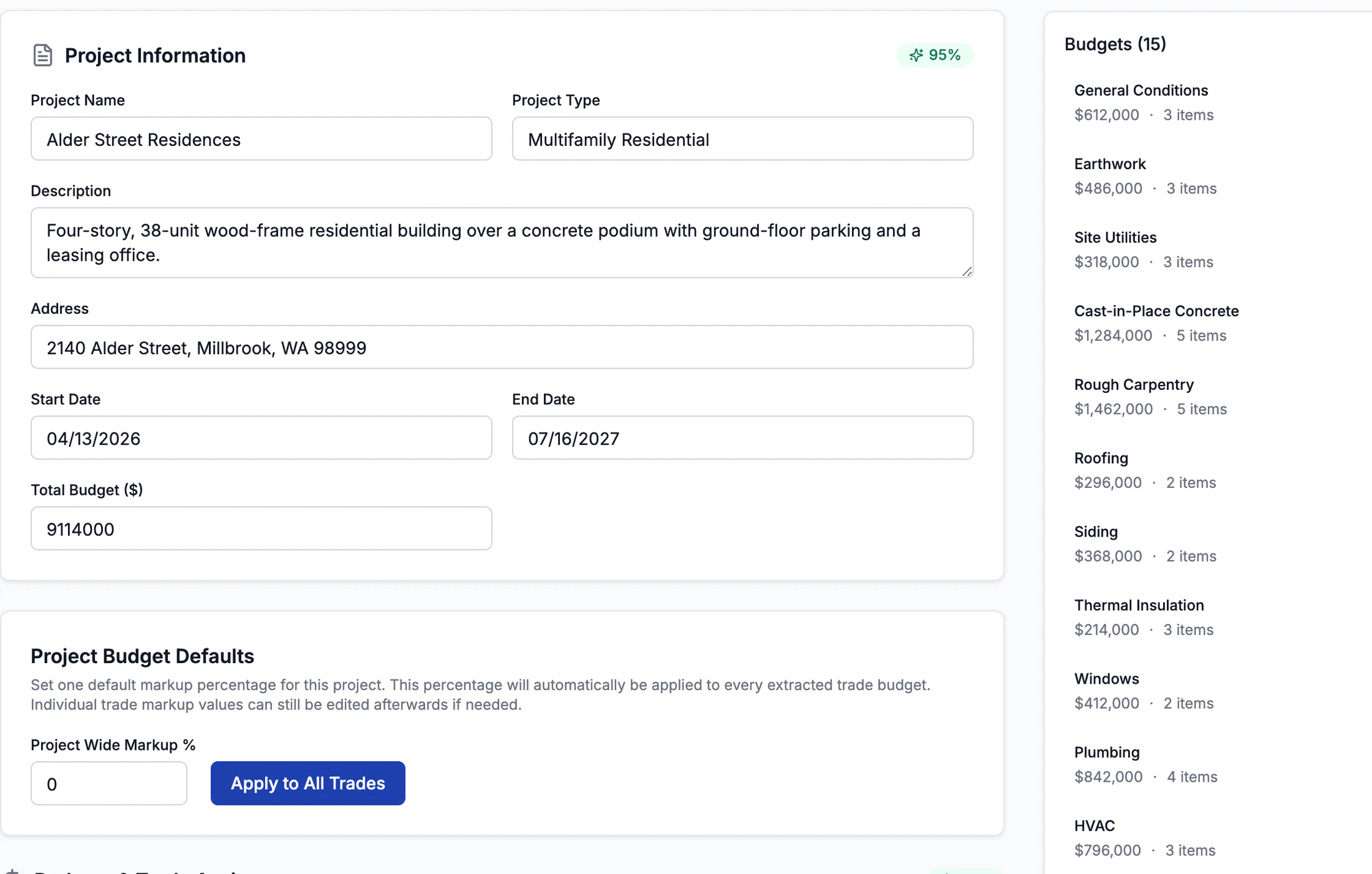
Start from the estimate you already have
Upload an estimate or schedule of values. Constructura extracts budgets by trade with line items and CSI codes, a phased schedule with tasks, and the subcontractors named in the document.
Why it mattersNothing is created until you review it. You check the extracted budgets, correct what needs correcting, then create the project.
02 →Schedule
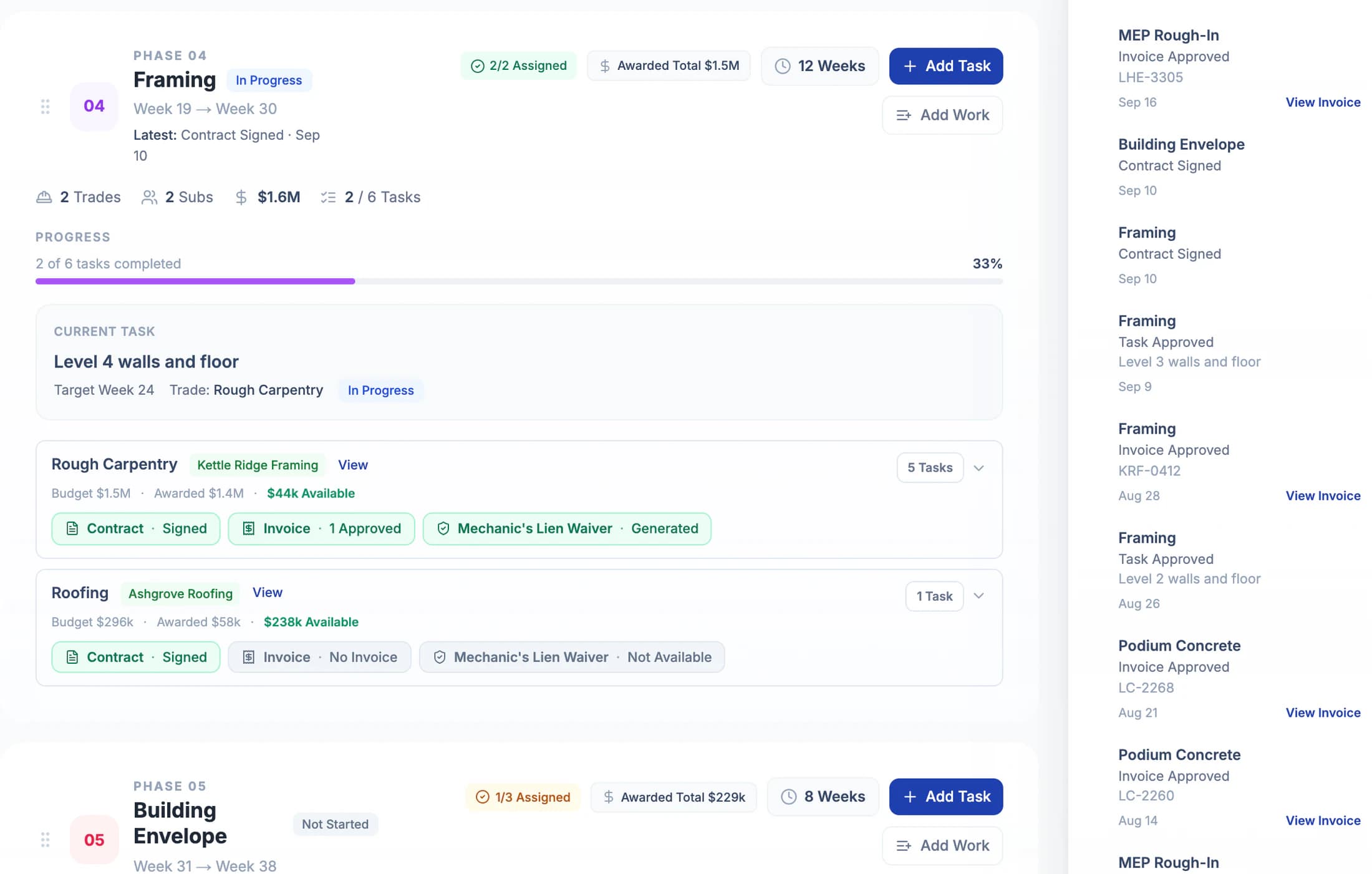
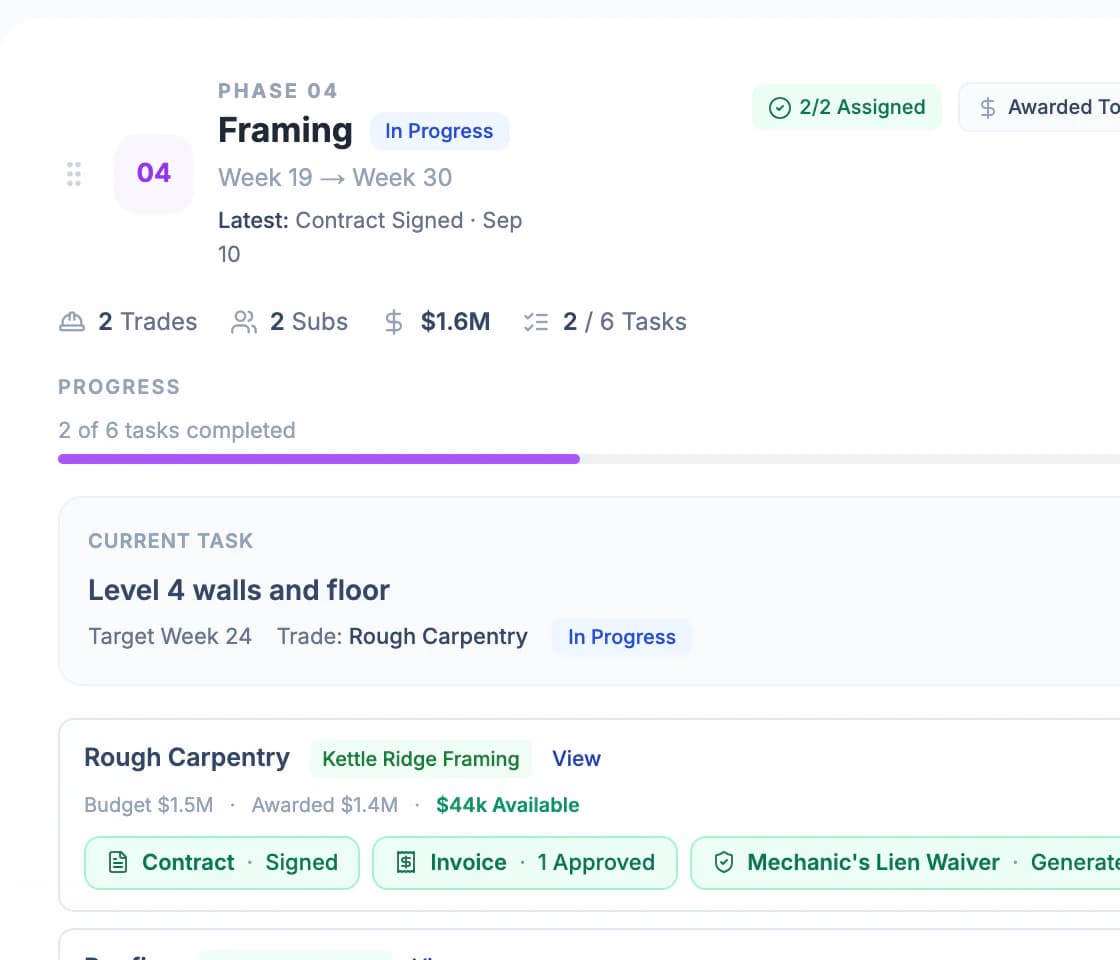
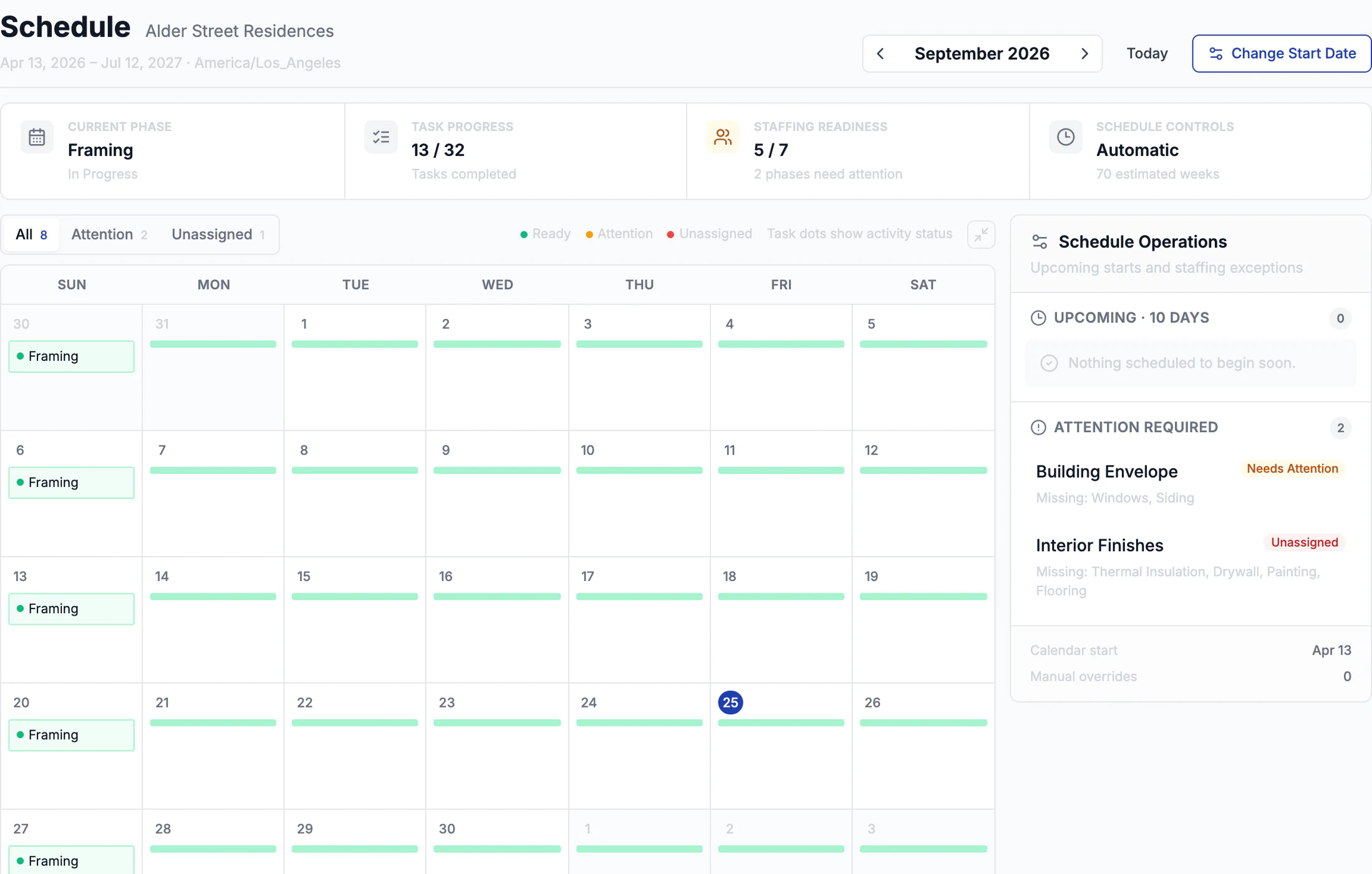
A schedule built around trades
Phases hold the trades and tasks that belong to them, with target weeks and dates. Mark work complete and it moves through review before it counts.
Why it mattersThe schedule follows how work is bought, by trade, so every task has a budget line and a subcontractor behind it.
03 →Budget
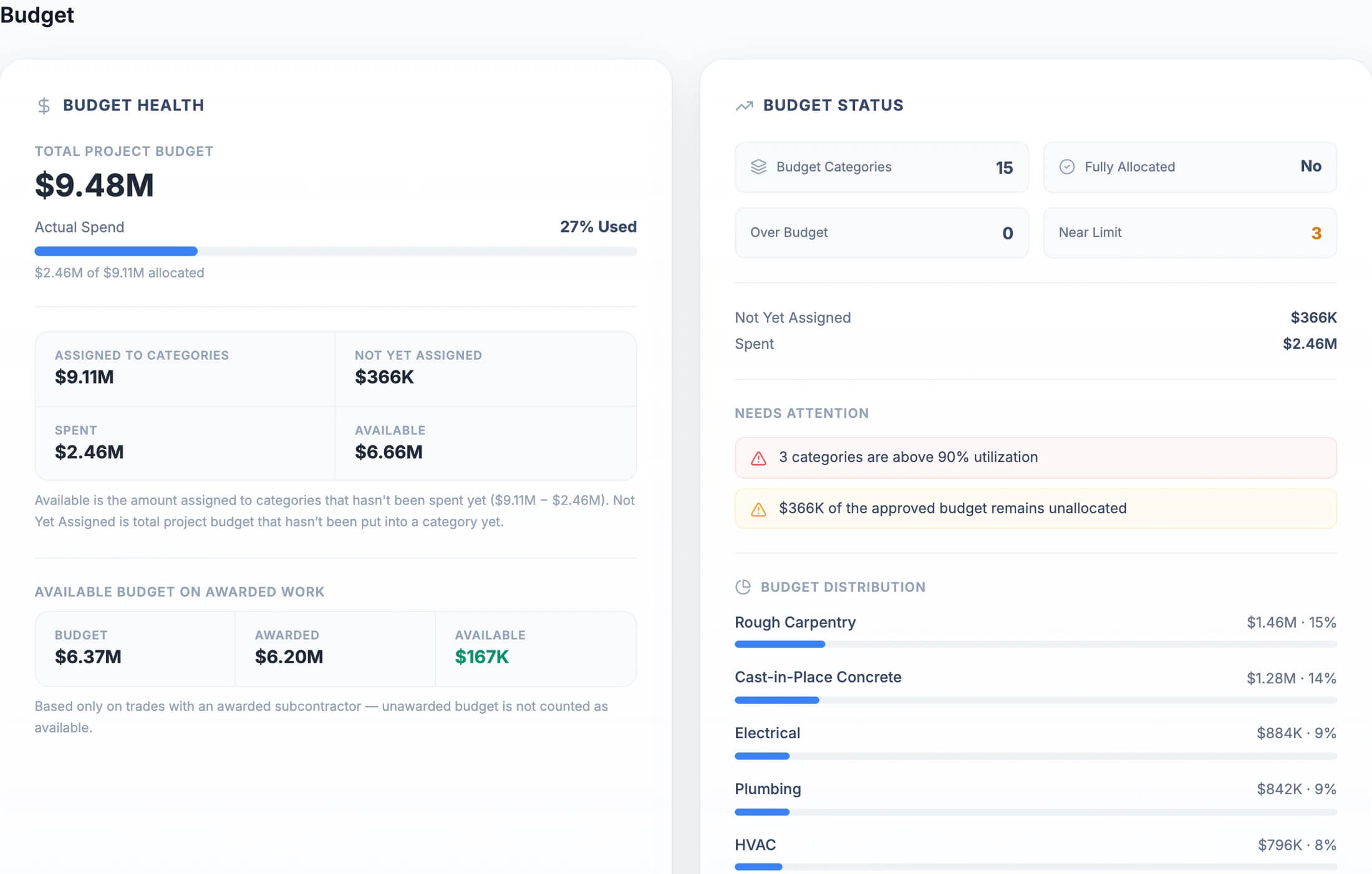
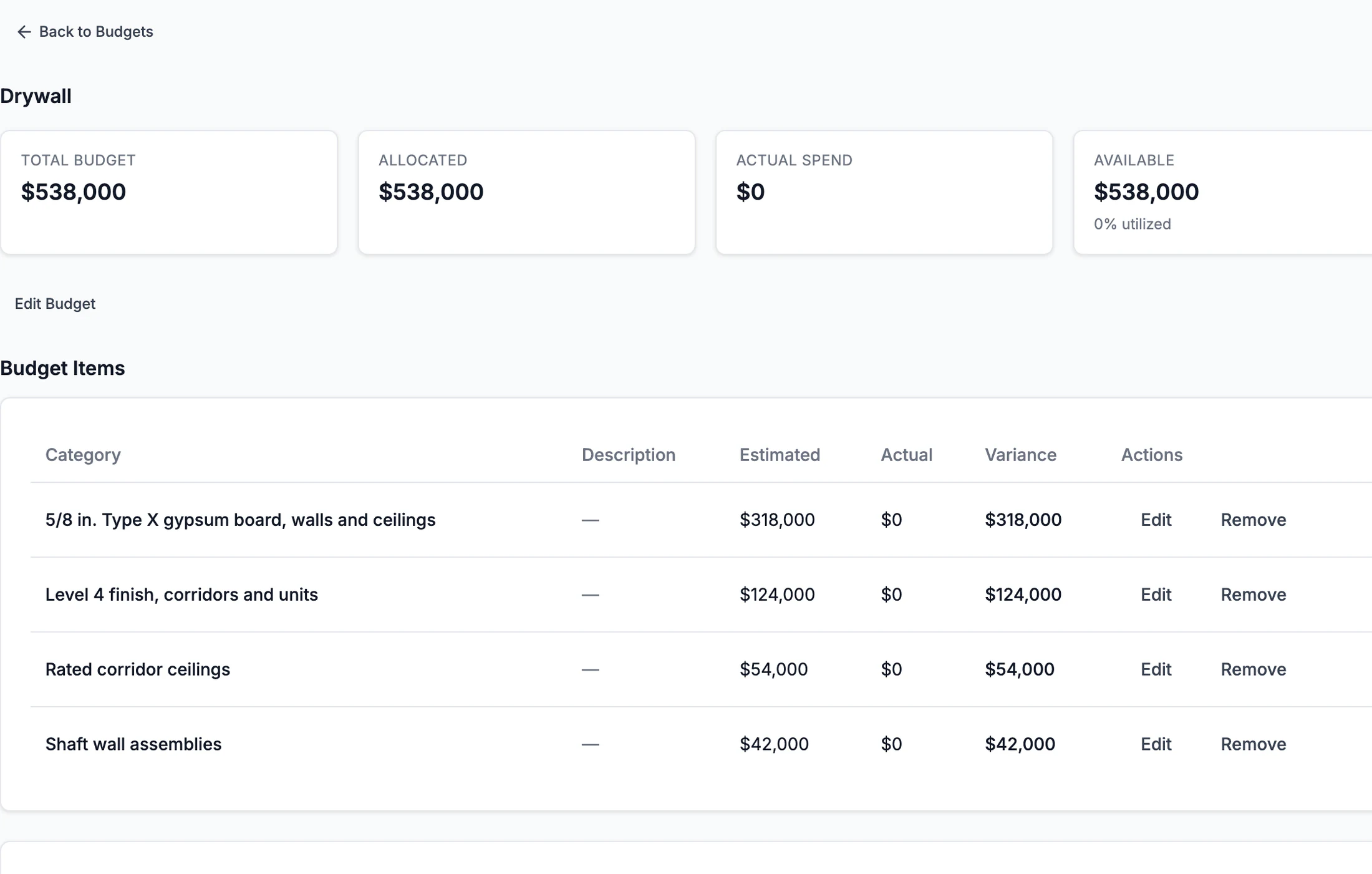
Budget by trade, in agreement with the work
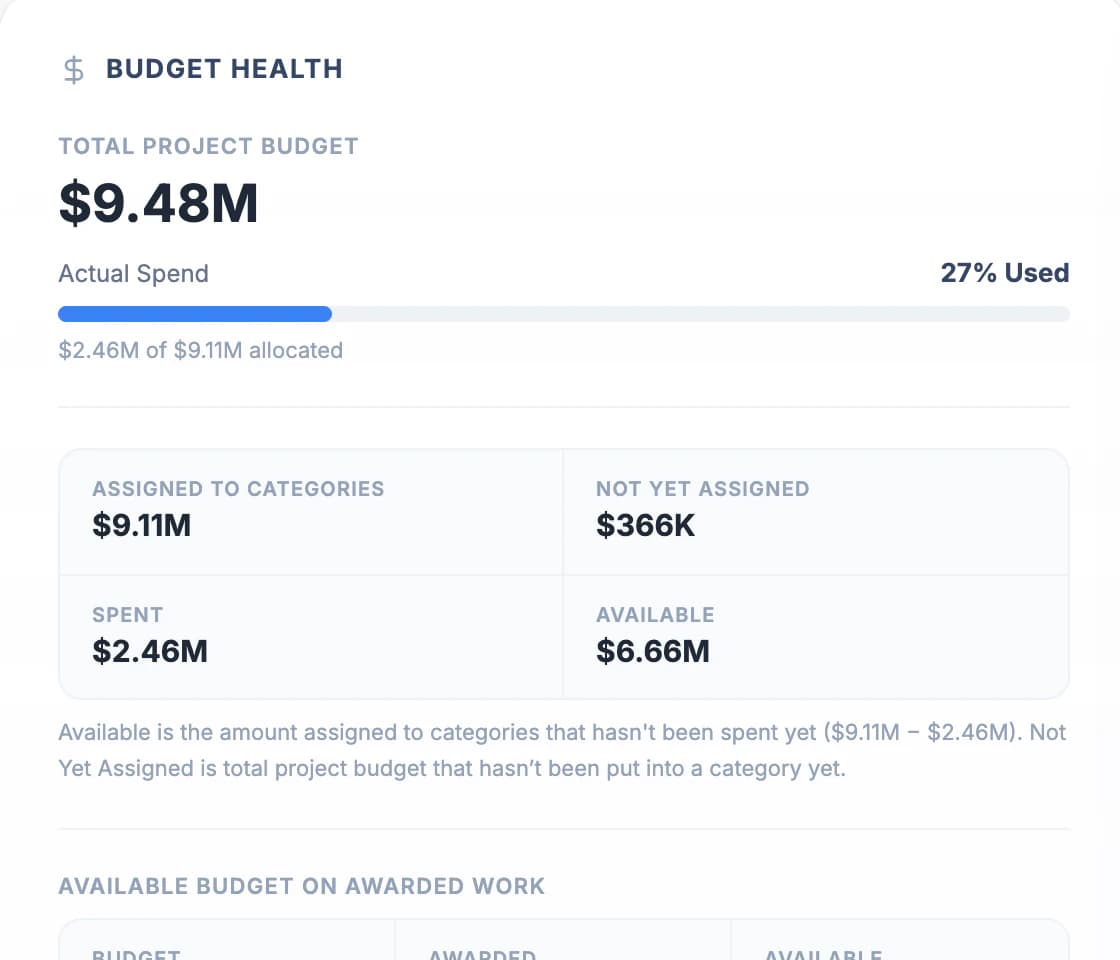
Every trade has its budget and line items. The project’s financial position shows what is budgeted, awarded, spent, and still available.
Why it mattersOwners and accounting see where each trade stands without rebuilding a spreadsheet.
04 →Subcontractors
Subcontractors work from a link, not an account
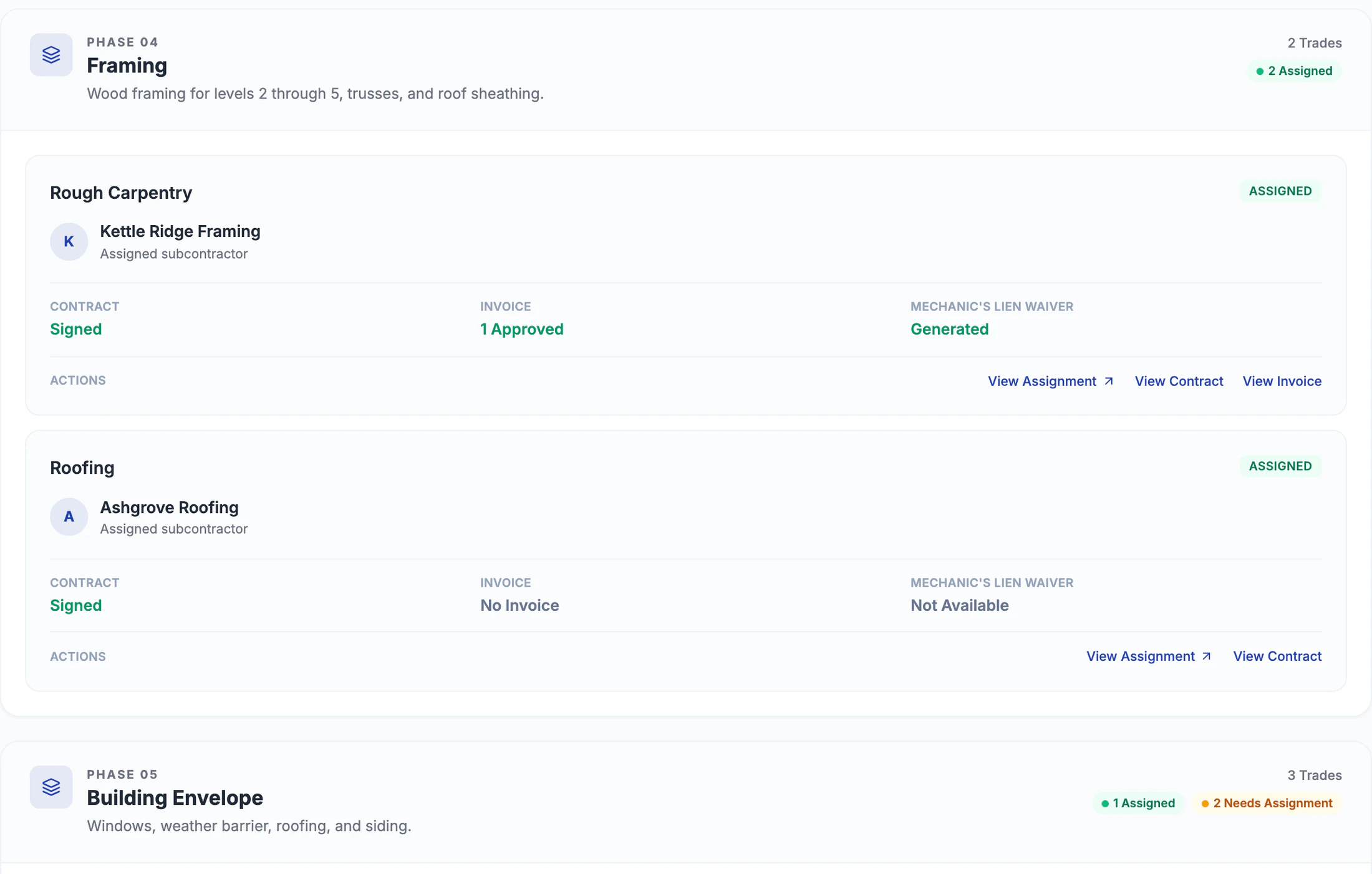
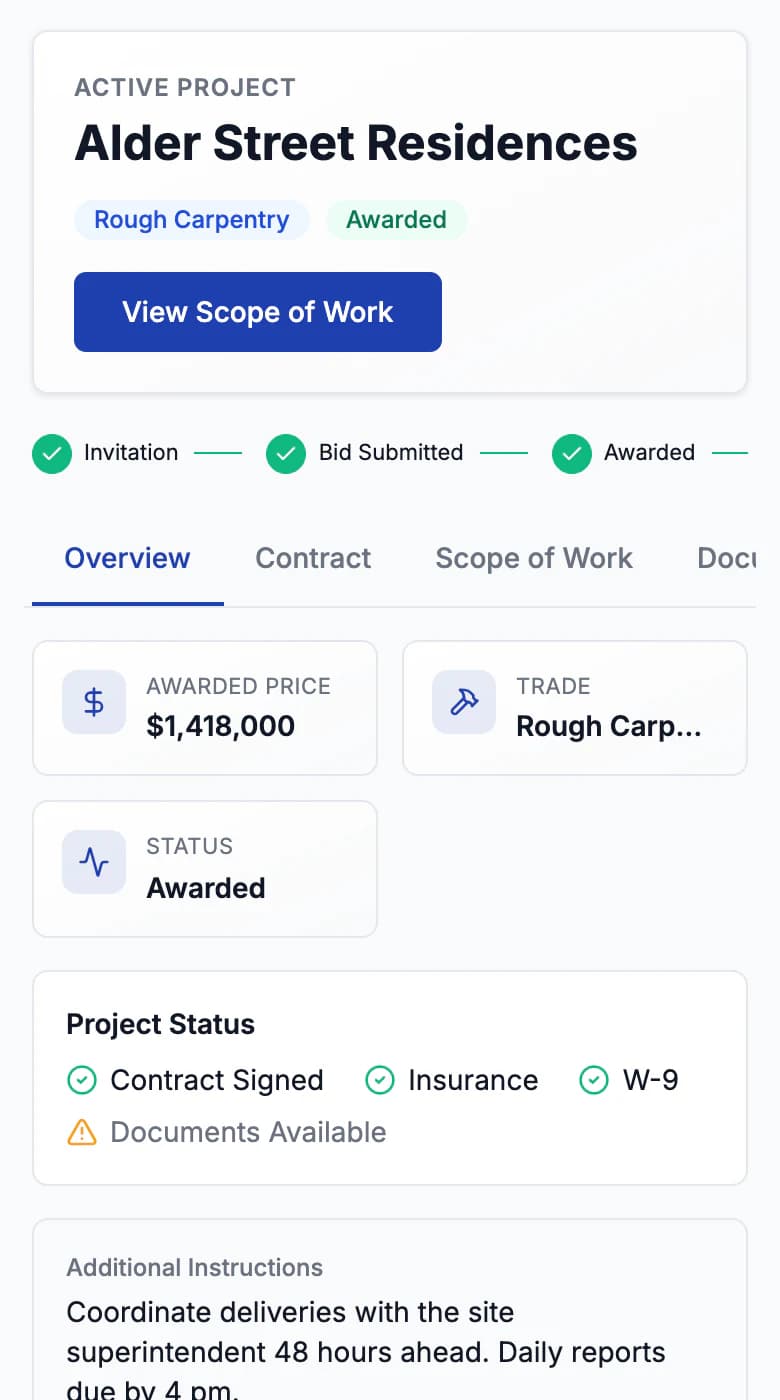
Assign trade tasks to a subcontractor. They get a secure link to sign the contract, upload compliance documents, work through their tasks, and submit invoices.
Why it mattersSubcontractors rarely adopt another login. A link gets contracts signed and paperwork collected without chasing email.
05 →Draws
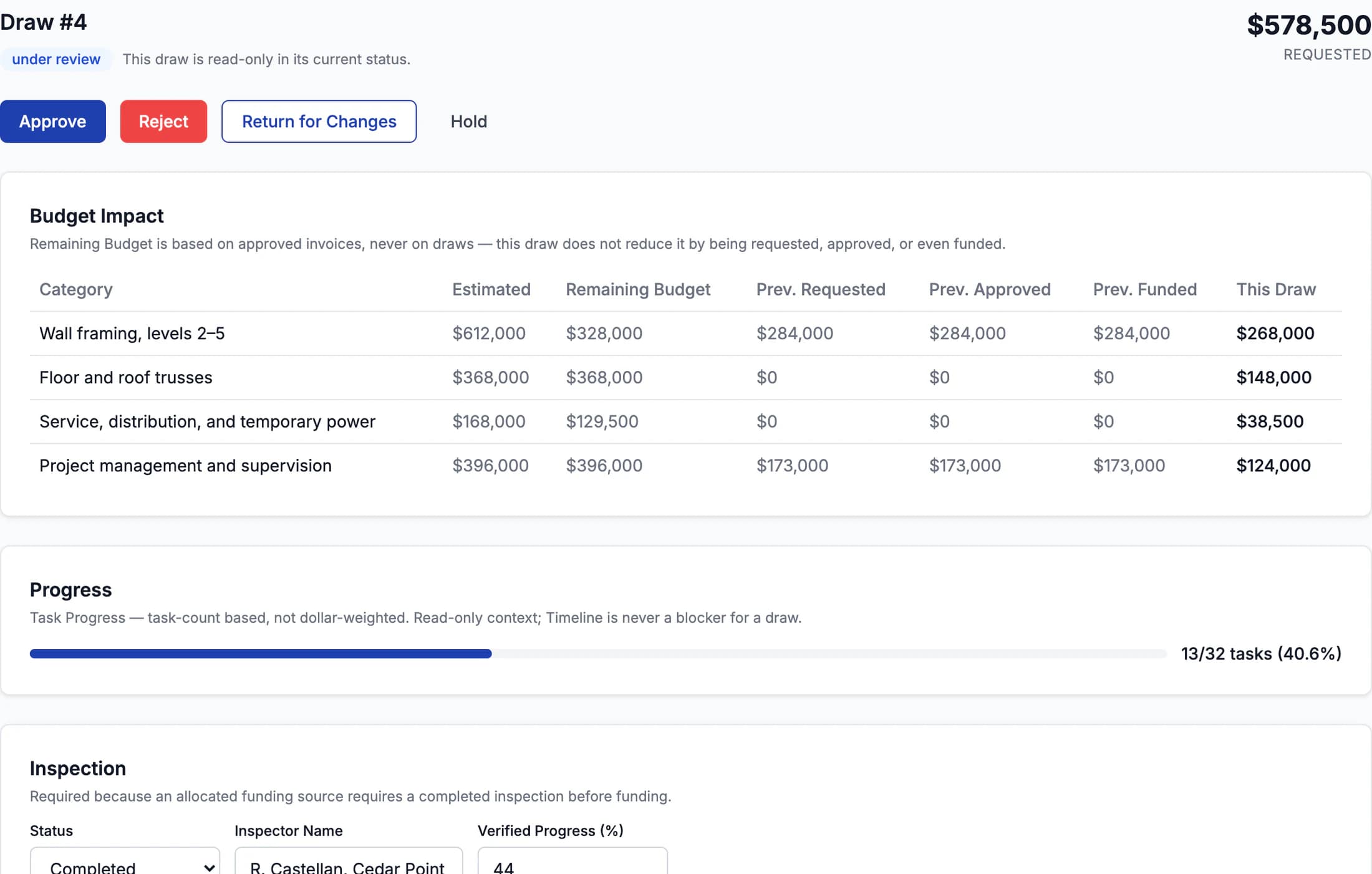
Draws reviewed against the record
Each draw request carries its readiness checks, inspection, progress, budget impact, and risk signals. Reviewers approve, hold, request changes, or fund.
Why it mattersA draw is where schedule, budget, and subcontractor paperwork have to agree. Reviewing it inside the same record is the payoff of the steps before it.



Who uses it
Built for the people who run the job.
Admin
Sets up the organization, the team, and every project.
Project manager
Runs assigned projects: schedule, tasks, and subcontractor work.
Accounting
Follows budgets, invoices, and draws on assigned projects.
Subcontractor
Works from a secure link. No account needed.
Also included
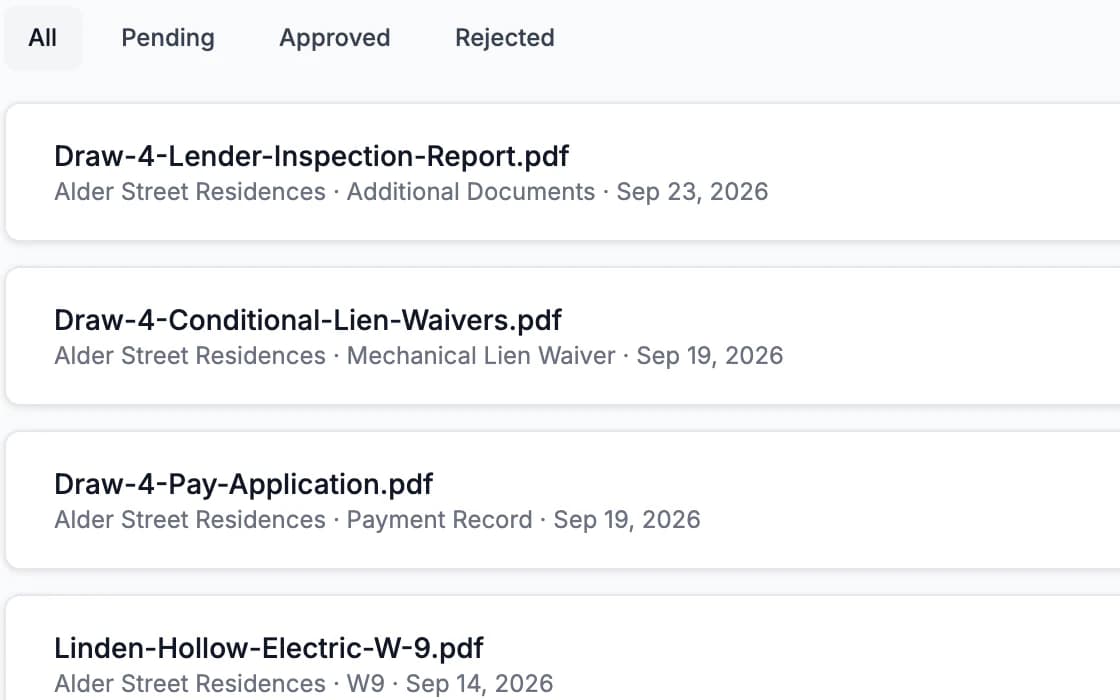
Documents
A document library for each project, with review and approval.
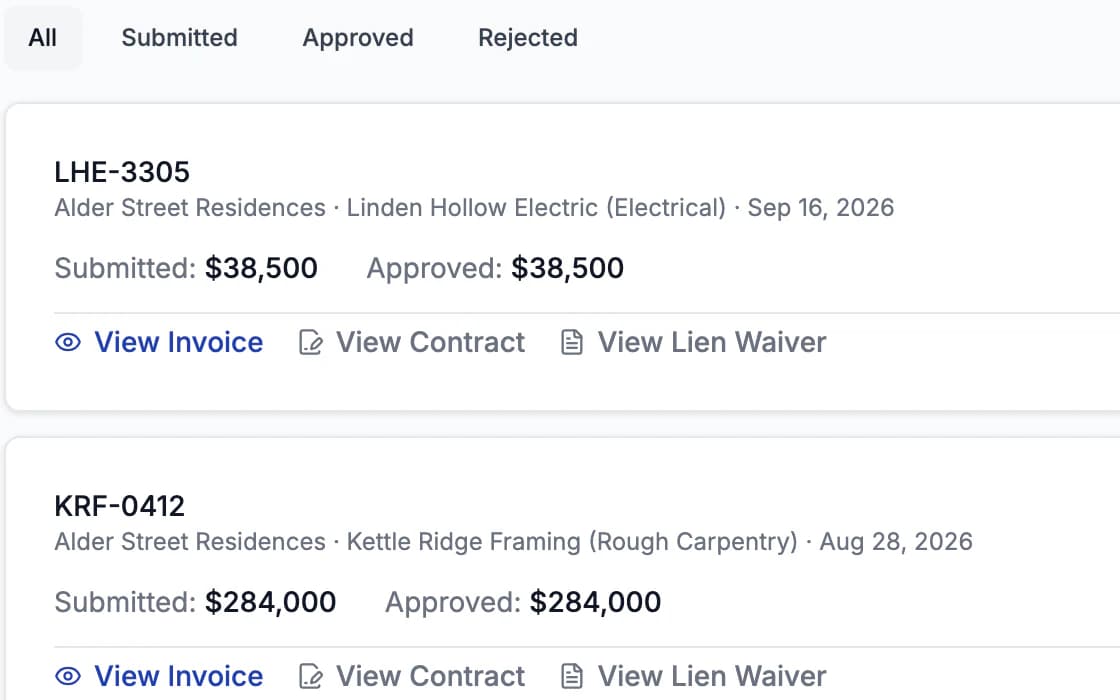
Invoices
Subcontractor invoices tied to assignments and budget lines.
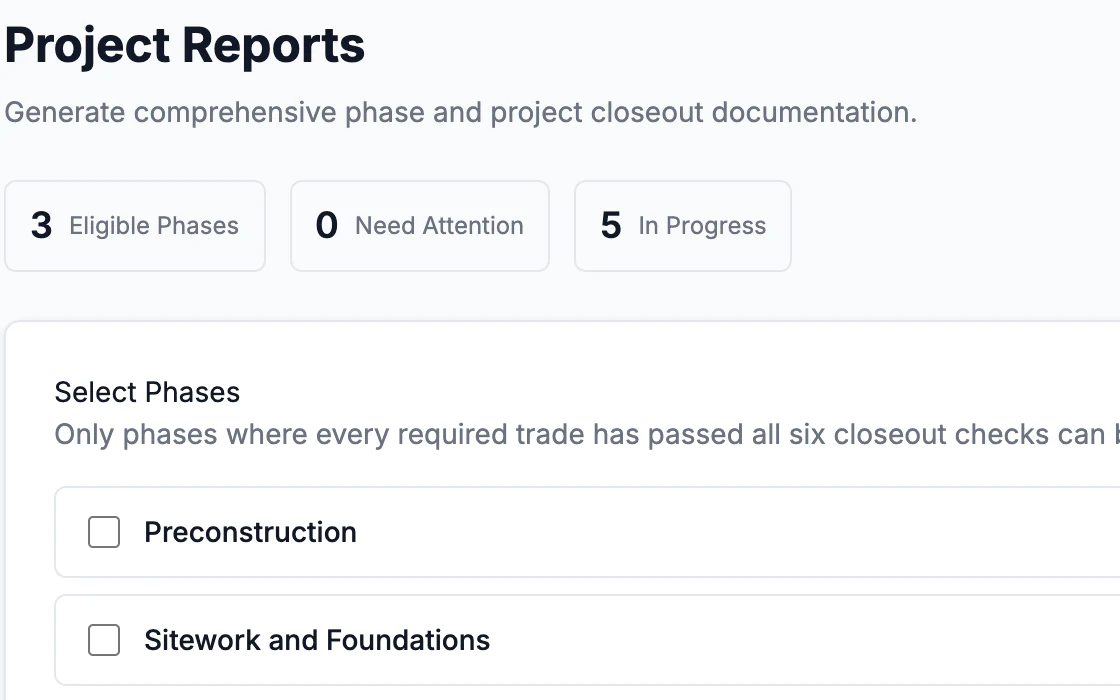
Reports
Project reports generated from the schedule and progress.
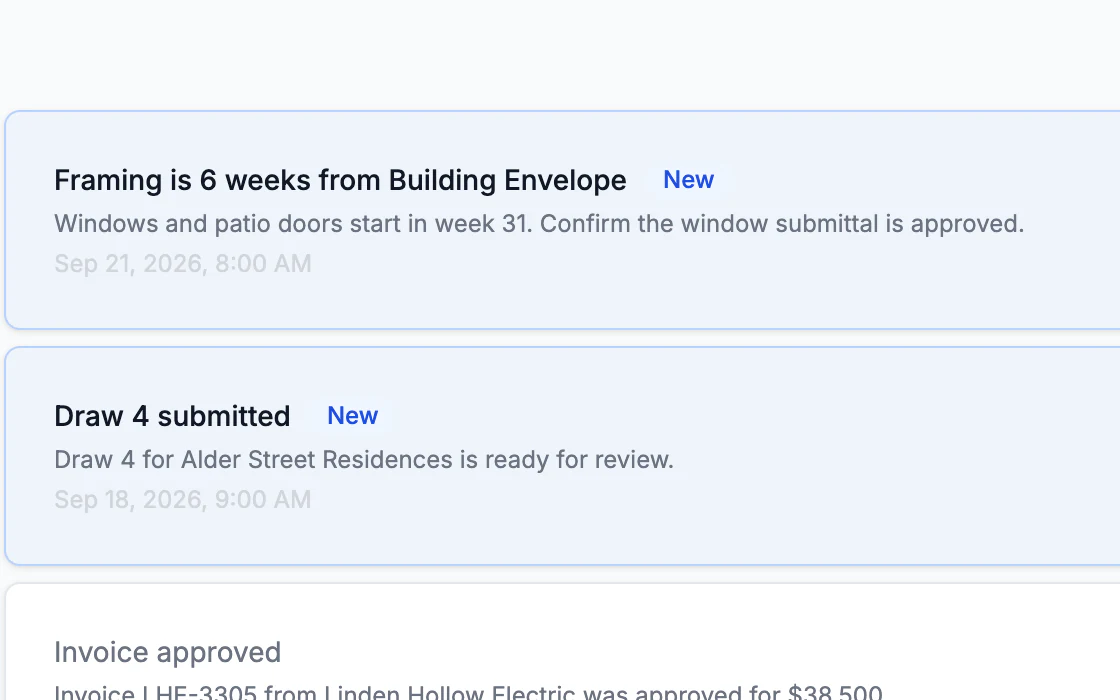
Notifications
In-app alerts when documents, invoices, and tasks need attention.
Next step
See a project run from estimate to draw.
We’ll walk through the full lifecycle on a sample project and answer questions about your jobs.